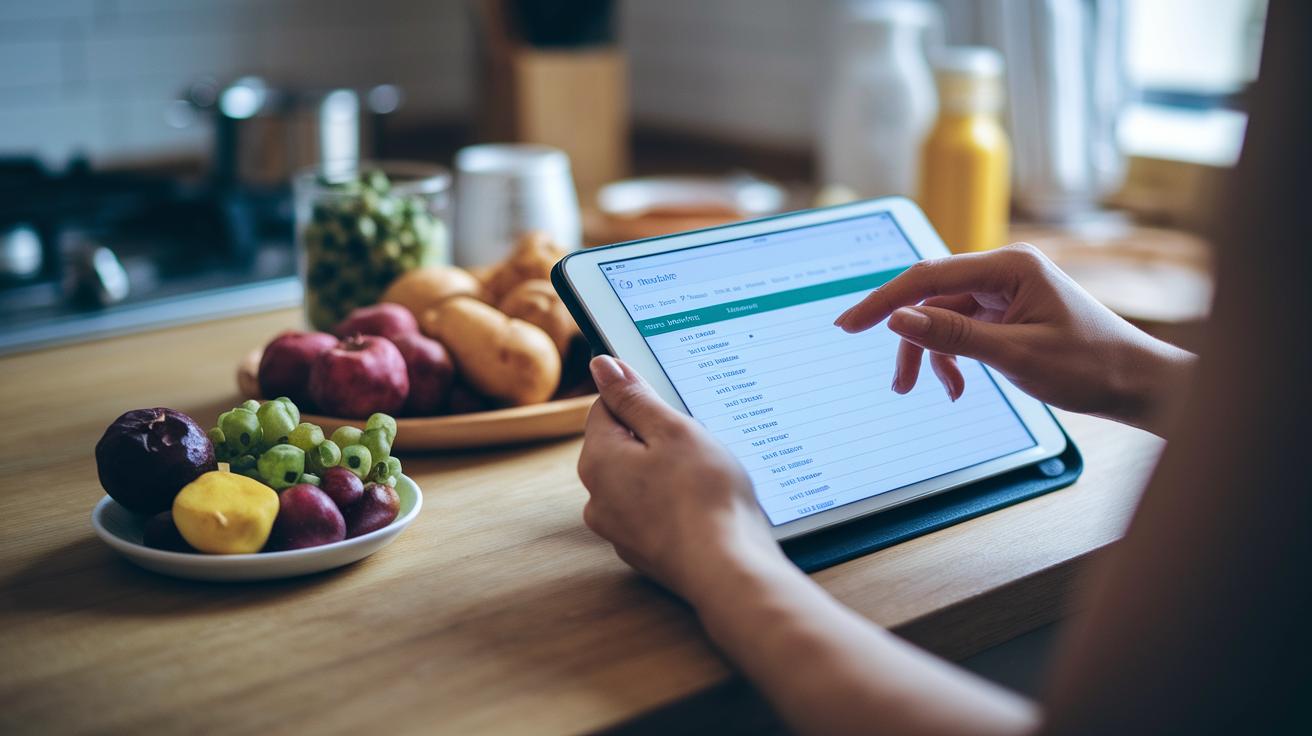
Have you ever thought that one simple app could change the way you see food and health? Imagine snapping a quick photo of your meal and instantly learning about calories, proteins, and vitamins (those are the nutrients your body needs to stay strong).
Nutrition tracking apps work much like a trusty food diary, they keep you in the loop about what and how much you’re eating all day long. And they do more than just record your meals. These smart tools can even connect with your exercise and daily activities to give you a complete picture of your health.
In our post, we’re excited to show you how these easy-to-use features can boost your well-being. Ready to see how a simple nutrition app can make a big difference? Let’s dive in.
Core Benefits and Functions of Nutrition Tracking Apps
Nutrition tracking apps make it easy to log what you eat in real time. You can quickly record your meals and snacks, and the app calculates calories, proteins, carbs, fats, and even important micronutrients like sodium, potassium, and vitamins. For example, when you log your lunch, you'll see a simple note like, "This apple gives you 20 calories of natural energy."
These apps create a daily calorie budget based on your age, weight, sex, and level of physical activity. They work like a digital food diary, letting you track anything from a little snack to a full, balanced meal. This way, you can easily check whether the energy you’re taking in matches what you burn throughout the day.
A great feature is barcode scanning for packaged foods. Just snap a picture, and the app tells you, "This cereal has 150 calories per serving," along with details on sugars and fibers. Recipe importing is another handy tool, as it breaks down each ingredient to show its nutrient content.
Plus, many apps can connect with devices like the Apple Watch or Fitbit. They automatically log steps and workouts to give you a complete picture of your daily activity. Some advanced apps, like Nutrisense, even use continuous glucose monitor data to show real-time blood sugar shifts and energy dips, so you can see how your food choices affect you.
There’s also a focus on accuracy. For instance, Cronometer has a team that carefully checks each food entry, while MyFitnessPal shows a check-mark next to verified items. These features help users track things like added sugars and correct portions, making it easier to maintain a healthy balance.
Key Features to Evaluate in a Nutrition Tracking App

Many nutrition tracking apps come with everyday tools like barcode scanning, nutrient checks, recipe imports, portion guides, and syncing with wearables. These handy features make logging your meals a breeze with simple, smooth interfaces and easy data transfer.
Some apps stand out by adding extra touches to boost your experience. For example, a few apps now link with continuous glucose monitors and offer video calls with experts when you need advice. Plus, one app even gives you a 33% discount if you use the code SAVE33.
Imagine scanning your meal and then seeing a message that says, "Enjoy 33% off with code SAVE33 – schedule a video call with a nutrition expert today."
Comparing Leading Nutrition Tracking Apps
| App | Unique Features | Pricing | Pros | Cons |
|---|---|---|---|---|
| Nutrisense | Offers real-time blood sugar tracking with CGM support, a 33% discount when you use code SAVE33, and video health coaching that is often covered by insurance | Pricing varies; additional CGM fees might apply | Cutting-edge glucose tracking paired with expert help | Requires a companion app to work properly |
| MyFitnessPal | Holds one of the biggest food libraries; the premium upgrade unveils detailed nutrient insights | Basic version is free; premium upgrade available | Huge food database and simple logging process | The free version only tracks overall sugar totals |
| Noom | Delivers short lessons to build healthy habits along with personalized coaching | Costs about $200 per year; a free trial is offered | Focuses on long-term habit changes | Priced higher compared to many other apps |
| Fooducate | Grades food from A to D
How to Choose the Best Nutrition Tracking App for Your Goals
Start by figuring out what matters most to you. For example, if you want to lose weight, find an app that not only tracks your food but also helps you budget your calories. Think about whether you need a diet monitor on your smartphone that makes it easy to measure portions correctly and log your meals quickly. It’s also smart to see how each app checks its data. Some, like Cronometer, use a specially curated database, while others such as MyFitnessPal mark some entries as verified. Next, consider the advantages of a diet tracker that feels personal. A great app should work smoothly with your wearable devices and have an easy-to-use interface on your desktop or tablet. If you’re someone who likes detailed insights, a tool that breaks down your energy intake can help you keep an eye on your calorie counts. Free apps might cover the basics, but upgrading to a premium version can offer features like long-term nutrient tracking and the ability to import recipes, which many users find really useful. Also, decide if you want an app that does more than just log meals. Some apps come with community forums, in-app lessons, and even the option to connect with a dietitian for advice. When you weigh these features against your personal goals, you can pick the tool that best supports your journey toward better health. Tips for Maximizing Results with Your Nutrition Tracking AppStart by using every tool your smart nutrition assistant offers to keep your food tracking accurate. Always grab the barcode scanner to log ingredients quickly. When you import recipes, give them a quick check to fix any mix-ups in nutrition details. For instance, you might scan your favorite snack and then see a note saying, “Verify portion size with your kitchen scale for the most accurate reading.” This small step turns your app into a trusty buddy that records your health data and keeps track of your nutrients. Next, try out these handy tips:
By adding these practices into your routine, your app becomes a supportive tool that helps you stay on track for long-term success. Final WordsIn the action, we explored how a nutrition tracking app can simplify meal logging, boost data accuracy, and offer useful insights for calorie control and nutrient balance. The discussion walked through core features like barcode scanning, recipe importing, and device syncing while comparing popular apps. We also shared practical tips to maximize daily tracking and improve overall well-being. Every step guides you toward smarter, data-informed choices that feel natural and effective. Embrace these insights and step forward with confidence toward a healthier lifestyle. FAQWhat free nutrition tracking apps exist?The free nutrition tracking apps let you log meals and snacks while automatically computing calories and nutrients. They deliver basic features without charge to help you manage your food intake. How do nutrition tracking apps work on Android and iPhone?Nutrition tracking apps on Android and iPhone let you scan barcodes, import recipes, and sync with wearables. They automatically calculate calories and nutrients and support daily food tracking. What does MyFitnessPal offer as a nutrition tracking app?MyFitnessPal provides a huge food database and verified entries to support accurate meal logging. It tracks total sugars, calories, and basic nutrients to help you reach your nutrition goals. Is MyFitnessPal still free?MyFitnessPal still offers a free version with basic tracking features. Users can log meals, view a simple nutrient breakdown, and upgrade to premium for more detailed insights. Are there nutrition trackers better than MyFitnessPal?Alternatives like Cronometer offer curated data and in-depth nutrient analysis. They check accuracy more rigorously while providing detailed macro and micronutrient breakdowns for focused meal tracking. How do MyFitnessPal and Cronometer compare?MyFitnessPal emphasizes a vast food database with verified entries, while Cronometer uses a curated list for improved data accuracy and detailed nutrient tracking, catering to different user needs.  |